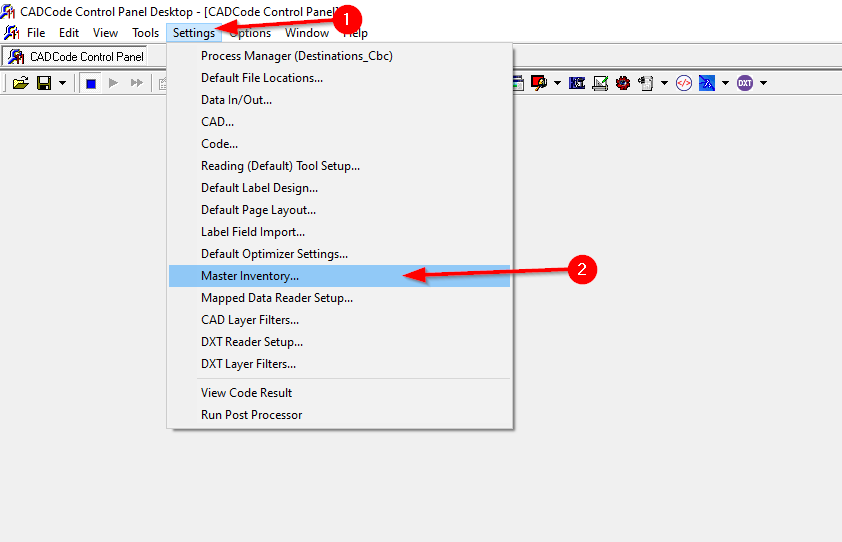
Click settings and open Master Inventory
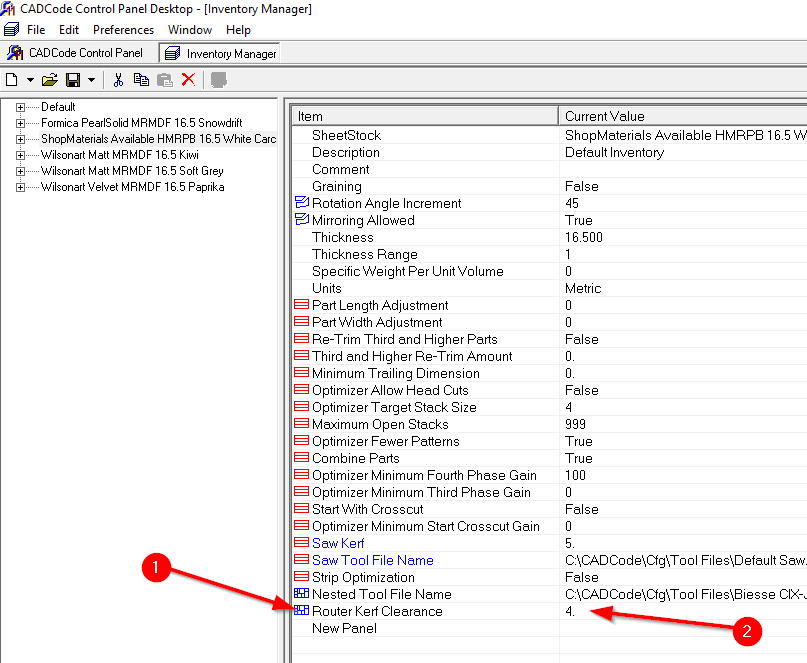
Once in Master Inventory, find the material you would like to edit, click on it then down the bottom there will be Router Kerf Clearance.
They should be on 4mm as a default.
If you want to change it for all new materials coming into CADCode, then update the "Default" material.
Was this article helpful?
That’s Great!
Thank you for your feedback
Sorry! We couldn't be helpful
Thank you for your feedback
Feedback sent
We appreciate your effort and will try to fix the article