How to enable the new customisable Inner Drawer products and manage your existing fixed-configuration range
Overview
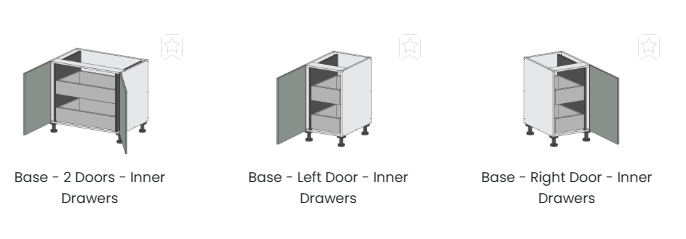
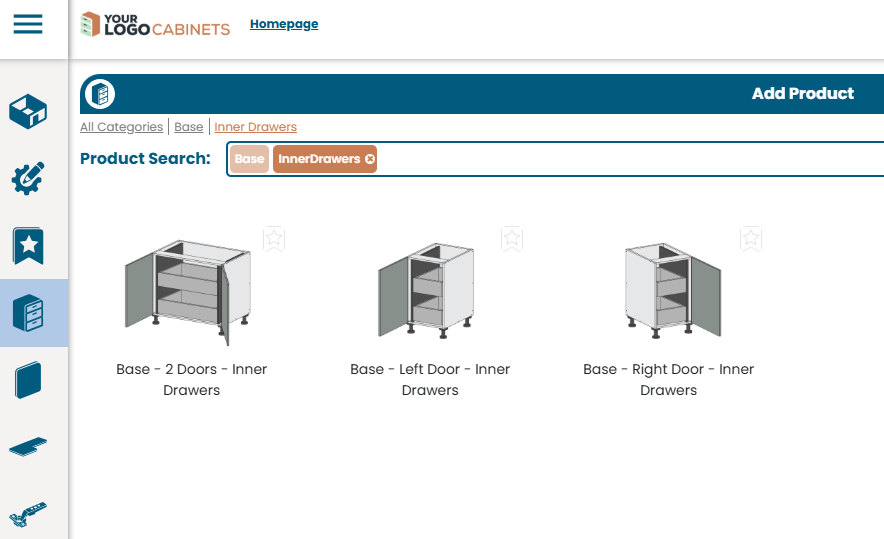
We've overhauled the way Inner Drawer Base Cabinets work in Cabinetry.Online. The previous range consisted of 27 separate fixed-configuration Inner Drawer Base Cabinets. These have been consolidated into just 3 flexible new products:
Product | Description |
Base - Left Door - Inner Drawers | Single-door variant – hinged on the left |
Base - Right Door - Inner Drawers | Single-door variant – hinged on the right |
Base - 2 Doors - Inner Drawers | Double-door variant |
Each product features a fixed vertical partition on the hinged side, with a 70mm clearance / void to allow for hinge adjustment. This allows customers to freely position inner drawers without any risk of hinge interference.
Although the 70mm void is the default value, this is customisable within the production software, but please note that the positioning of the vertical partitions in the 3D model in Cabinetry.Online is fixed and representative of the 70mm value.
What's New
In-product customisation
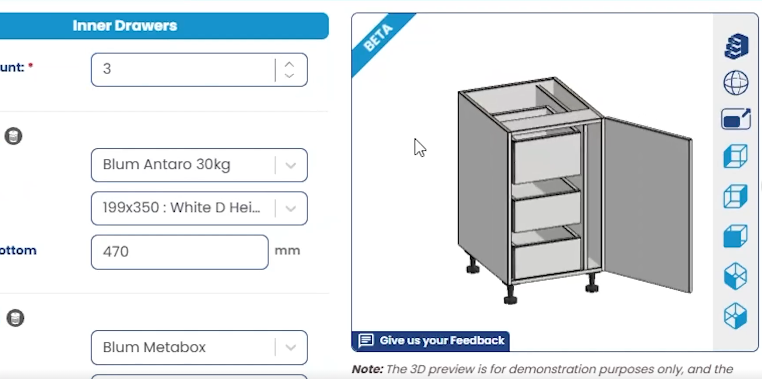
Rather than selecting from a large catalogue of fixed layouts, customers can now configure inner drawers directly within the product itself. This includes:
- Adjusting the quantity of inner drawers (auto-adjusts for best fitment)
- Manually editing individual drawer heights and depths
- Repositioning drawers within the cabinet to achieve any unique design
Automatic drawer default adoption
The new products automatically adopt each customer's drawer selection default. This means:
- Drawer types stay consistent across a project without manual intervention
- Customers have more flexibility to utilise different inner drawer options where needed
Do I Need to Do Anything?
If you're happy with your current product range – no action is required If you prefer to continue offering only the Standard, Executive, and Premium fixed configurations to your customers, or you don't want a product that uses a vertical partition, there is nothing for you to do. Your existing products remain available and unchanged. |
However, if you'd like to consolidate your product library and give customers a clearer, more flexible path for inner drawer orders, follow the steps below to activate the new products – and optionally hide the old fixed-configuration options.
Enabling Custom Inner Drawer Cabinets
Follow these steps to make the new custom inner drawer products visible to your customers:
- Navigate to Tools > Settings > Products or go to this link
- Locate the category Inner Drawers
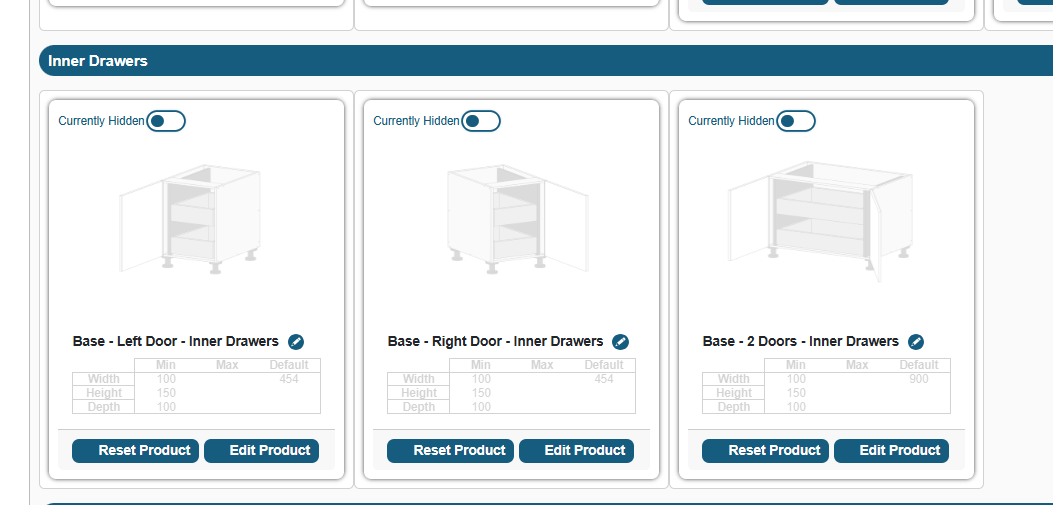
- Click the toggle next to each product to change its status from Currently Hidden to Currently Visible
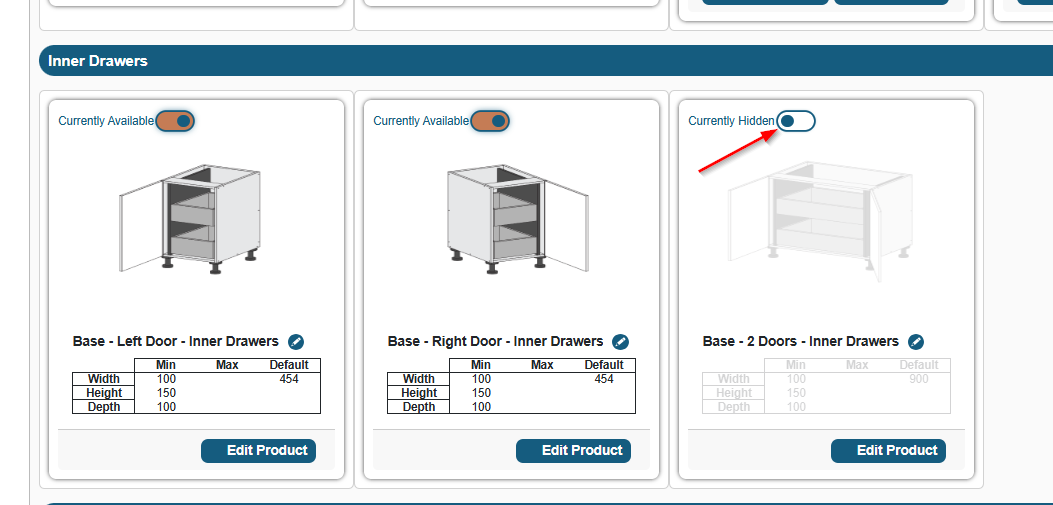
- (OPTIONAL) Update product names, minimums, or maximums to suit your business
- Your customers can now see and order these products – you're done!
Disabling the Fixed-Configuration Inner Drawer Products (Optional)
If you'd like to retire the previous fixed-configuration products, you can hide each sub-category from the same Products screen. Repeat the following process for each of the three sub-categories:
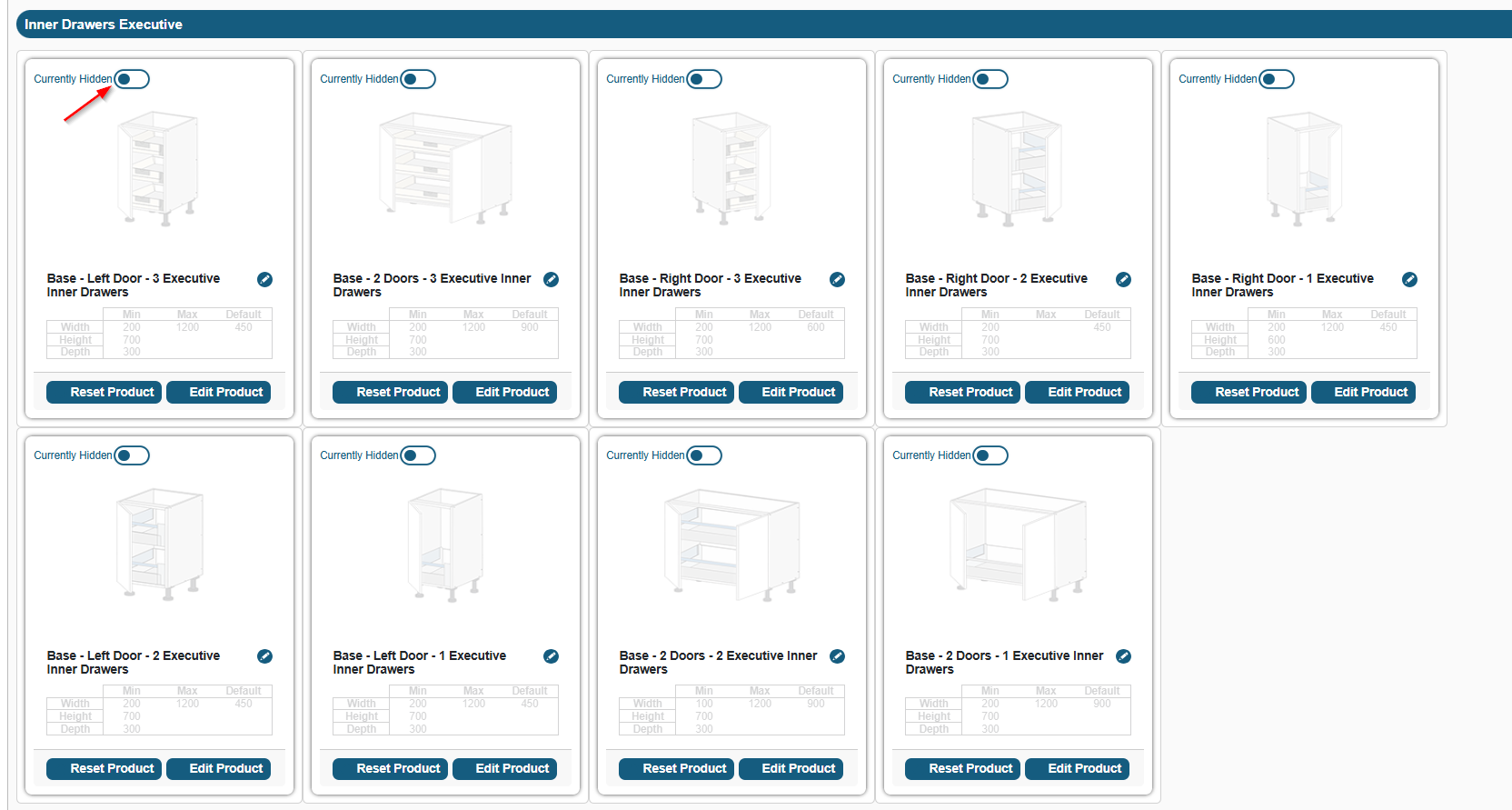
- While on the Products screen, scroll down to find Inner Drawers Executive
- Click the visibility toggle on each product within the sub-category, hiding all products within that group
- Repeat for Inner Drawers Premium
- Repeat for Inner Drawers Standard
Note: Hiding these sub-categories does not delete any data or affect existing jobs that already reference these products. You can re-enable them at any time by toggling them back to Visible. |
Coming Soon
Pantry Inner Drawer Support
The current release covers Base cabinets only. We'll be rolling out the custom inner drawer product type to Pantry inner drawer options soon.
No action is needed from you at this stage – we'll let you know when Pantry support is available.
Quick Reference Summary
Scenario | What to do |
I want to offer the new flexible inner drawer products | Enable all product under the new sub-category Inner Drawers in Products settings |
I want to remove the old fixed-configuration products | Hide all products within the Inner Drawers Executive, Premium, and Standard sub-categories |
I want to keep my existing range and do nothing | No action required – your current products are unaffected |
I want both old and new products available | Enable all 3 items in the Inner Drawers sub-category and leave existing fixed configuration inner drawer products visible |
Was this article helpful?
That’s Great!
Thank you for your feedback
Sorry! We couldn't be helpful
Thank you for your feedback
Feedback sent
We appreciate your effort and will try to fix the article