The Benchtop Specifier Overview article explains how to set up and manage Cabinetry.Online's digital ordering tool for custom benchtops, which replaces traditional order pads and manual sketches. Additionally, the guide details how to configure edge profile visual symbols and restrictions, adjust join types and butt join placements, and calculate final customer pricing using matrix costs, application fees, and layered percentage markups.
- Tool Purpose: The Benchtop Specifier is an integrated ordering feature in Cabinetry.Online designed to streamine custom benchtop orders without paper pads or hand sketches.
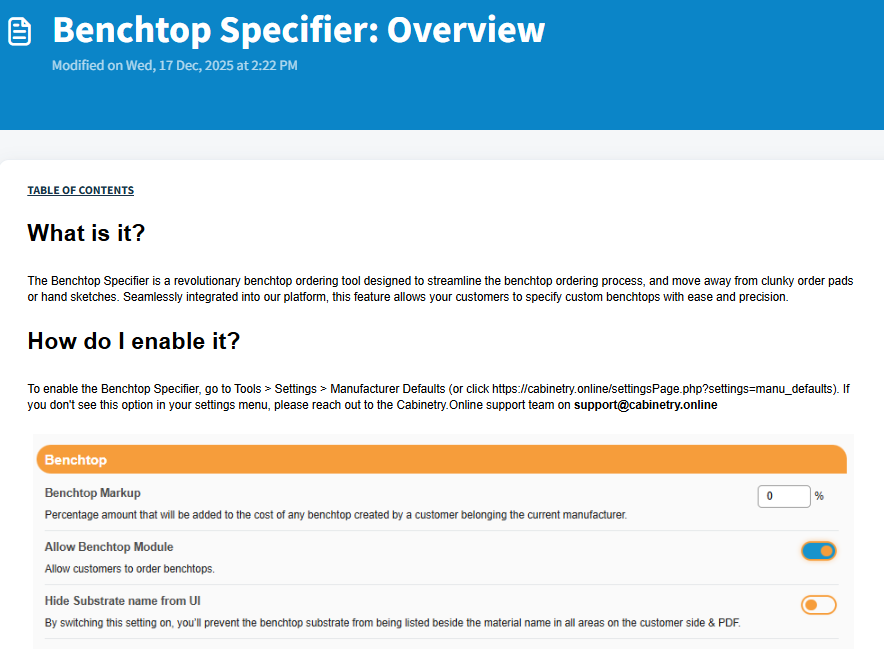
- How to Enable: Navigate to Tools > Settings > Manufacturer Defaults or contact support at support@cabinetry.online.
- Core Components: Setup requires reviewing four main areas: Materials, Profiles, Joins, and the Pricing Matrix.
- Materials & Fields: Control available colors, finishes, form factors (SP, DP, NP), roundups, blank options, and cost structures (AHC, AC, AIC). Includes tools for mass cost editing and mass hide/show.
- Profiles & Joins: Allows full customization of edge profiles, postforming options, arc ends, and corner restrictions, alongside setting costs for straight, L-shape, or U-shape joins.
- Pricing & Calculations: Automatically calculates final customer prices using matrix lookups based on dimensions and form factor, adding edge profile charges, join fees, benchtop markups, and customer markups.
Click the below image:
Was this article helpful?
That’s Great!
Thank you for your feedback
Sorry! We couldn't be helpful
Thank you for your feedback
Feedback sent
We appreciate your effort and will try to fix the article