This guide breaks down the process of customers paying remaining balances on their jobs when they've paid an initial deposit.
It'll also cover Over & Under Payments.
Section 1. Paying Remaining Balances
If a customer pays a deposit when submitting the job, they will still have a remaining balance owing on the job.
After you approve the job:
The customer returns to the order
The system shows the remaining balance
The customer can complete payment using the available payment methods.
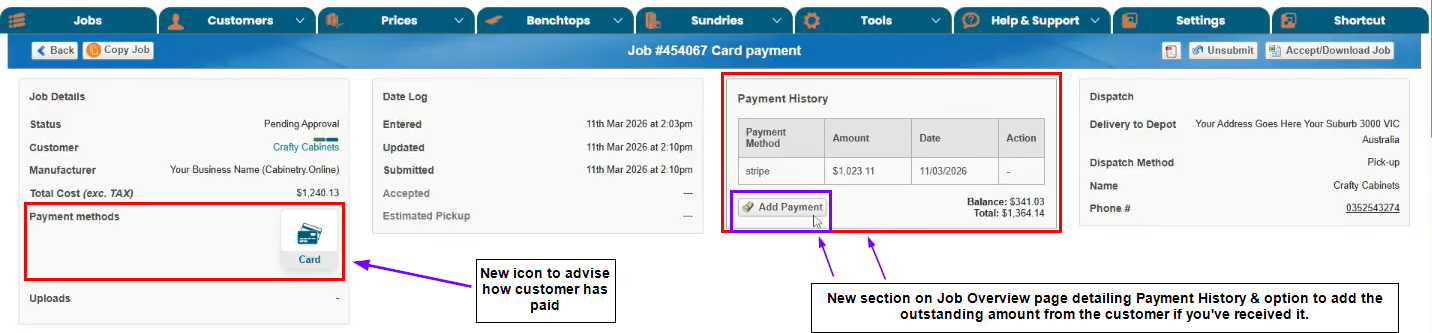
(Reference Image: Manufacturer Side - Job Overview Page)
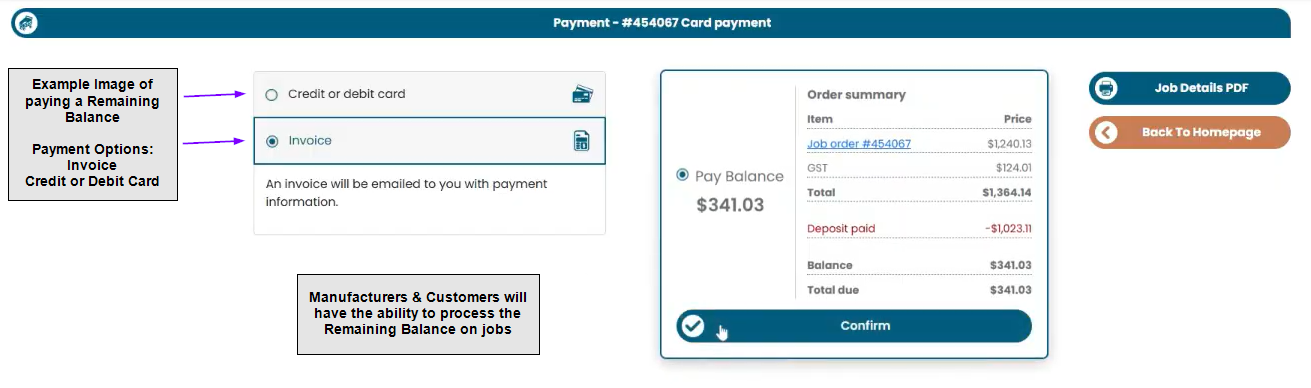
(Reference Image: Paying Remaining Balance Process)
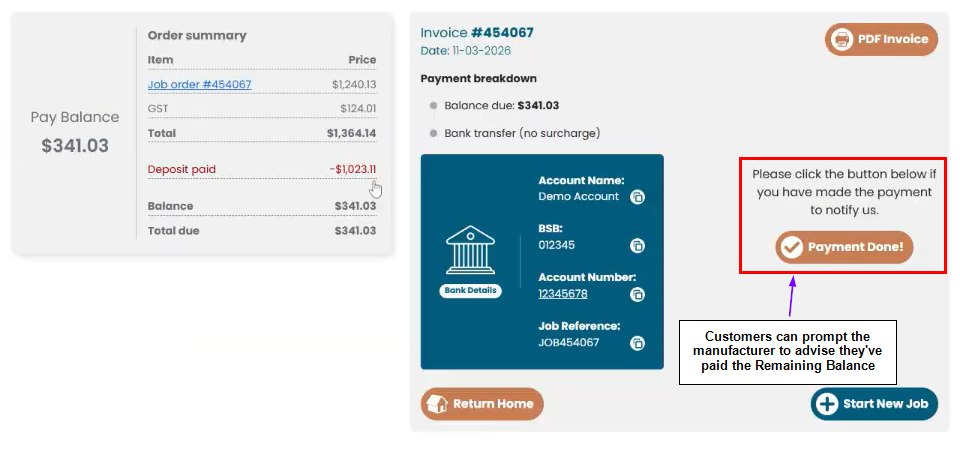 (Reference Image: Customers Prompting Payment Made)
Section 2. Overpayments & Underpayments
Overpayment
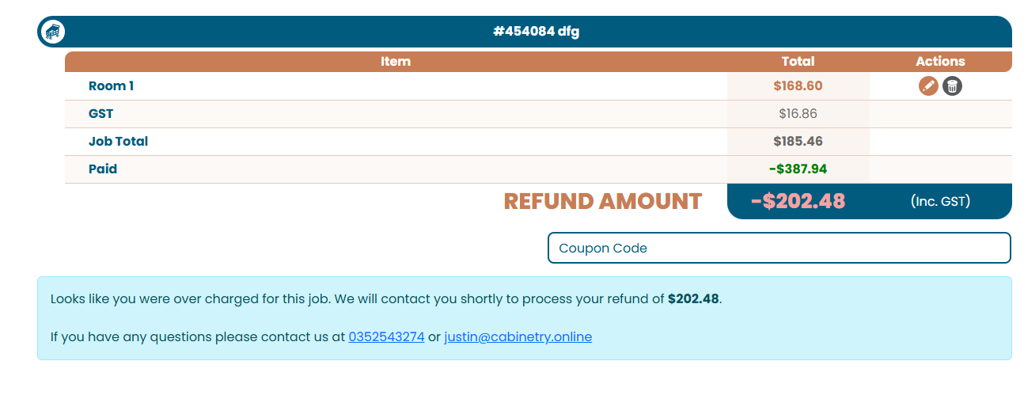
If the customer pays and the job value is later reduced, the system may identify an overpayment.
Expected Behaviour
The customer should be informed that:
- They have overpaid
- The manufacturer will process a refund
Important Limitation
Automatic refund handling is not part of phase 1. Refunds are expected to be handled outside the platform.
Warning: Overpayments can be identified by the platform, but refunds are not automatically processed in this initial release.
Underpayment
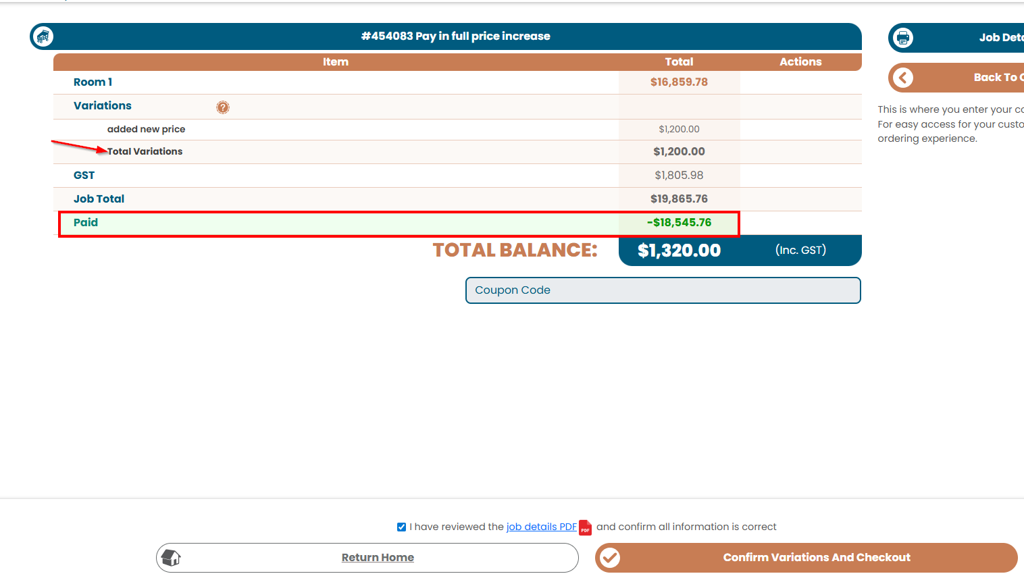
If the job value increases after payment has already been made, the customer may need to pay an additional amount.
Expected Behaviour
The system should:
- Detect the shortfall
- Add the extra amount into the next payable stage where appropriate
- Prompt the customer to pay the difference
Was this article helpful?
That’s Great!
Thank you for your feedback
Sorry! We couldn't be helpful
Thank you for your feedback
Feedback sent
We appreciate your effort and will try to fix the article