Once payments are enabled, the ordering workflow changes slightly for your customers.
Standard jobs (For jobs without freight or variations):
- Customer enters their order
- Customer reviews the order
- Customer proceeds to Checkout
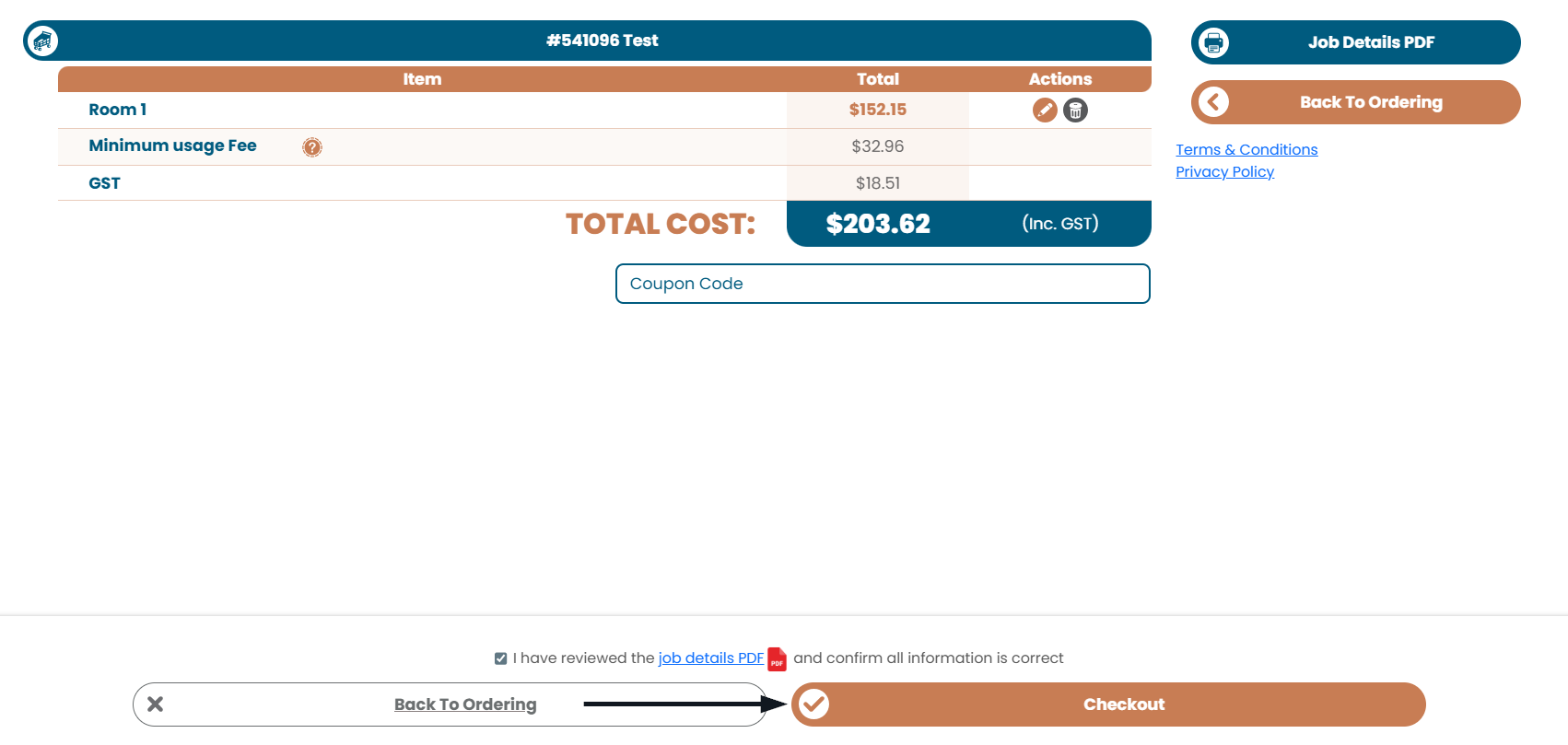
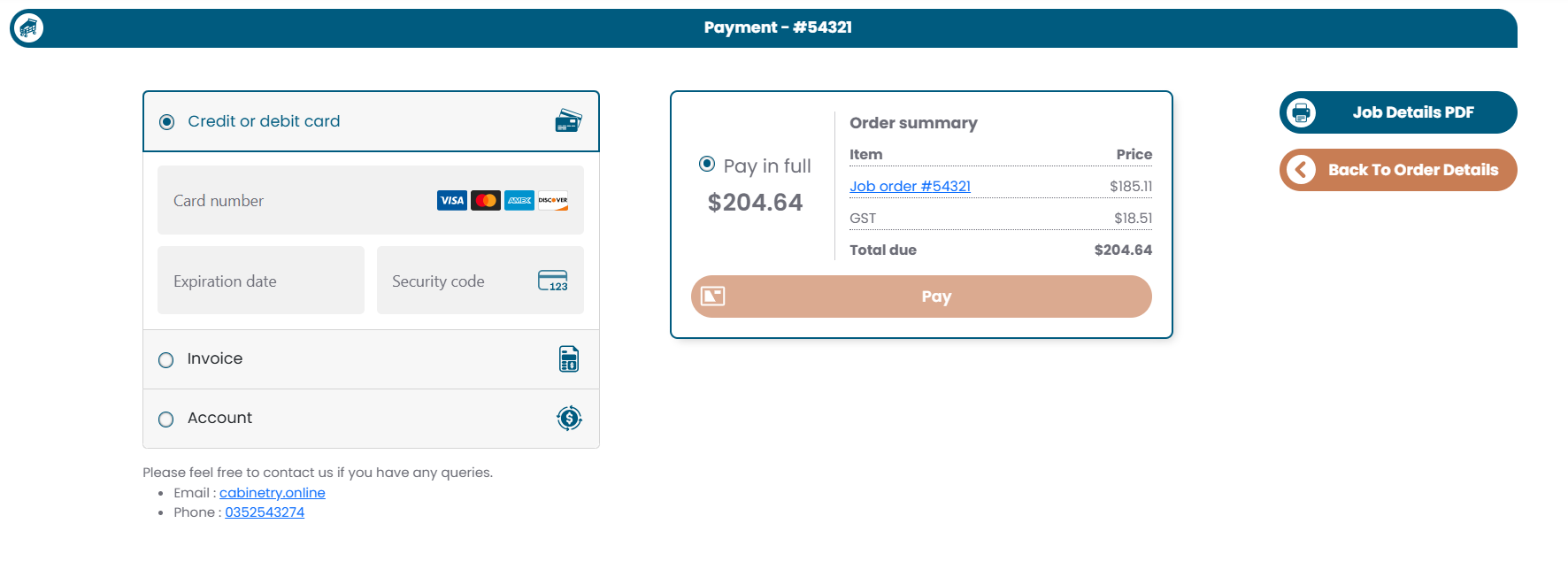
Customer pays either:
- The full amount
- The configured deposit
- Pay on Account (if permitted)
Jobs with freight or variations
Some jobs require manufacturer review before final pricing can be confirmed.
This includes jobs with:
freight charges
variation pricing
both freight and variations
When these jobs are submitted:
- The customer submits the order
- They see a Submit Job Confirmation page explaining that review is required
- You review and finalise the pricing
- The customer returns to confirm and complete payment
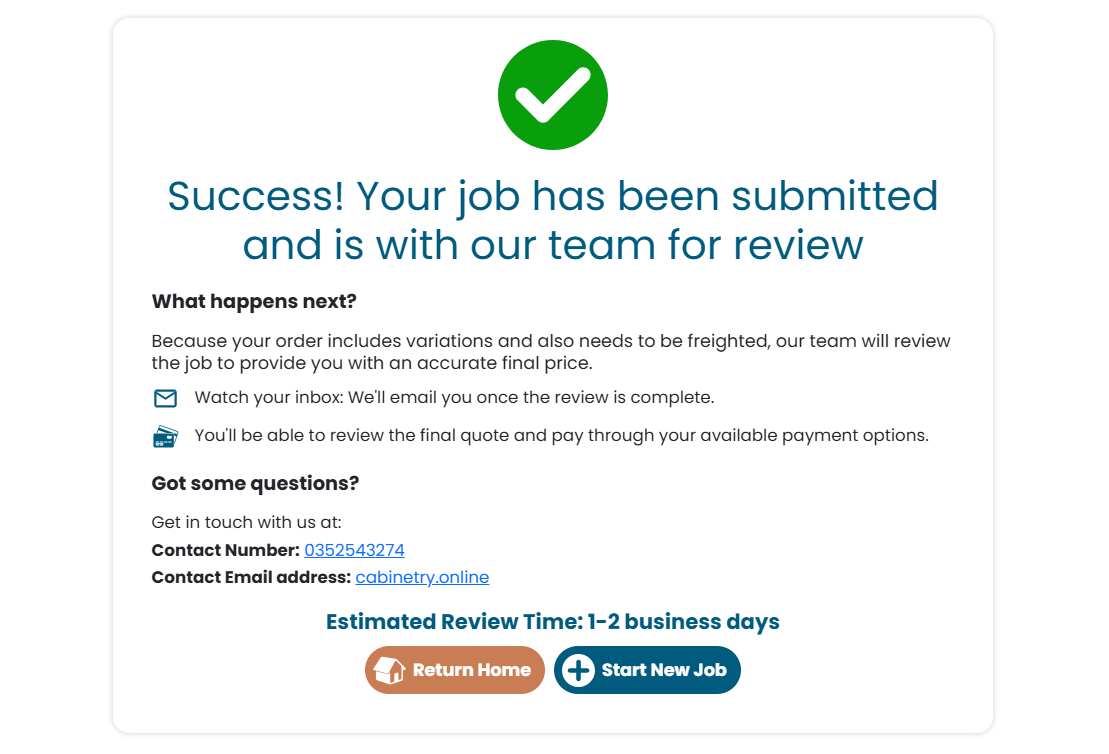
This ensures pricing is confirmed before payment is taken.
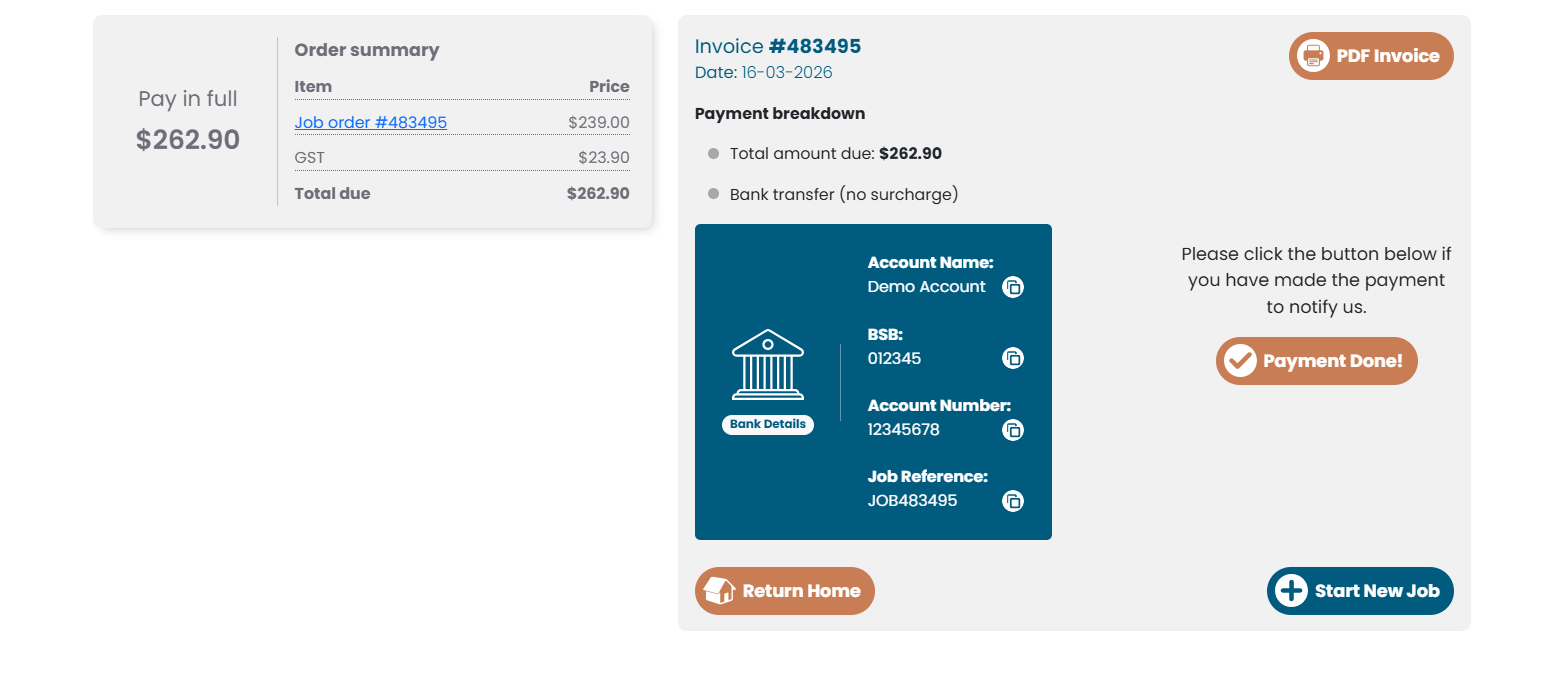
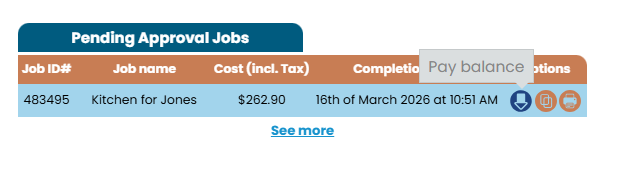
If a job still requires payment, the customer can access the invoice via the dashboard and clicking the View Invoice icon.
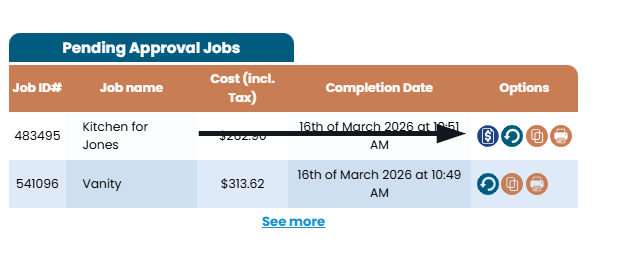
The customer will then be redirected to the invoice screen.
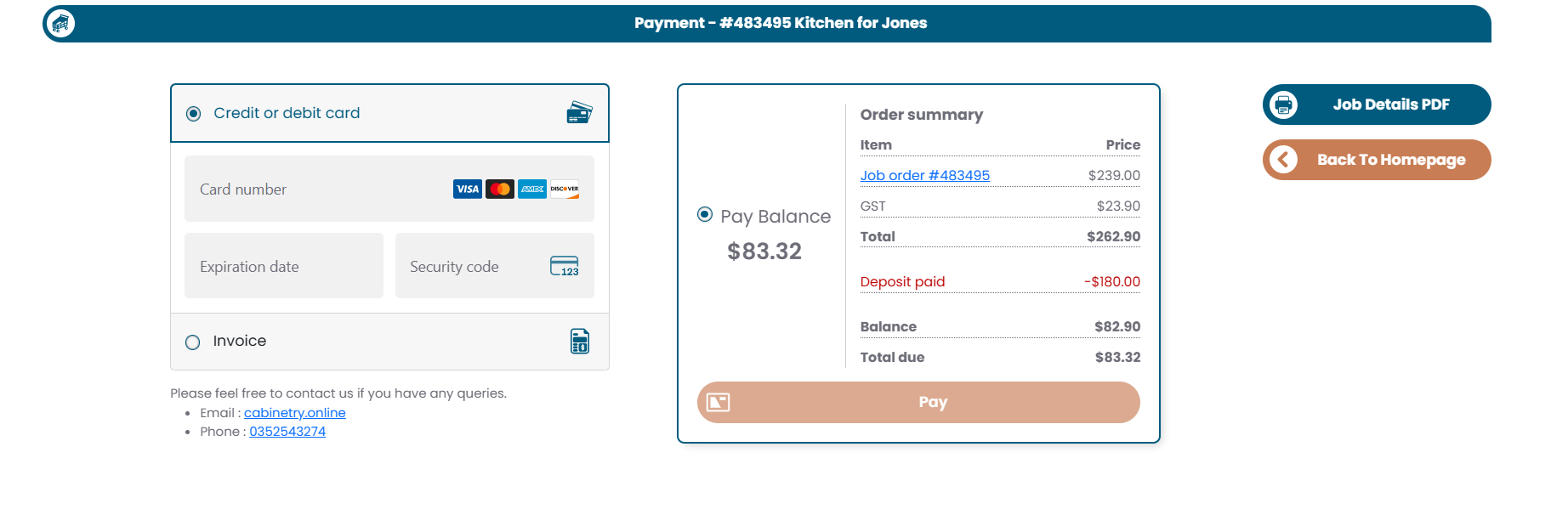
If a deposit has been paid, the customer will instead see a Pay Balance option.
Was this article helpful?
That’s Great!
Thank you for your feedback
Sorry! We couldn't be helpful
Thank you for your feedback
Feedback sent
We appreciate your effort and will try to fix the article