Getting paid through Stripe is a straightforward process. Once you have integrated Stripe with your Cabinetry.Online portal, follow these steps to ensure your funds reach your bank account.
By default, when a customer pays for a job via the Stripe Integration, the funds received will land in a holding account operated by Stripe, requiring the funds to be paid out to your nominated bank account.
To set up your account correctly, please follow these steps:
Link your Bank Account
To receive payouts, you must first link a valid bank account.
- Log in to your Stripe Dashboard.
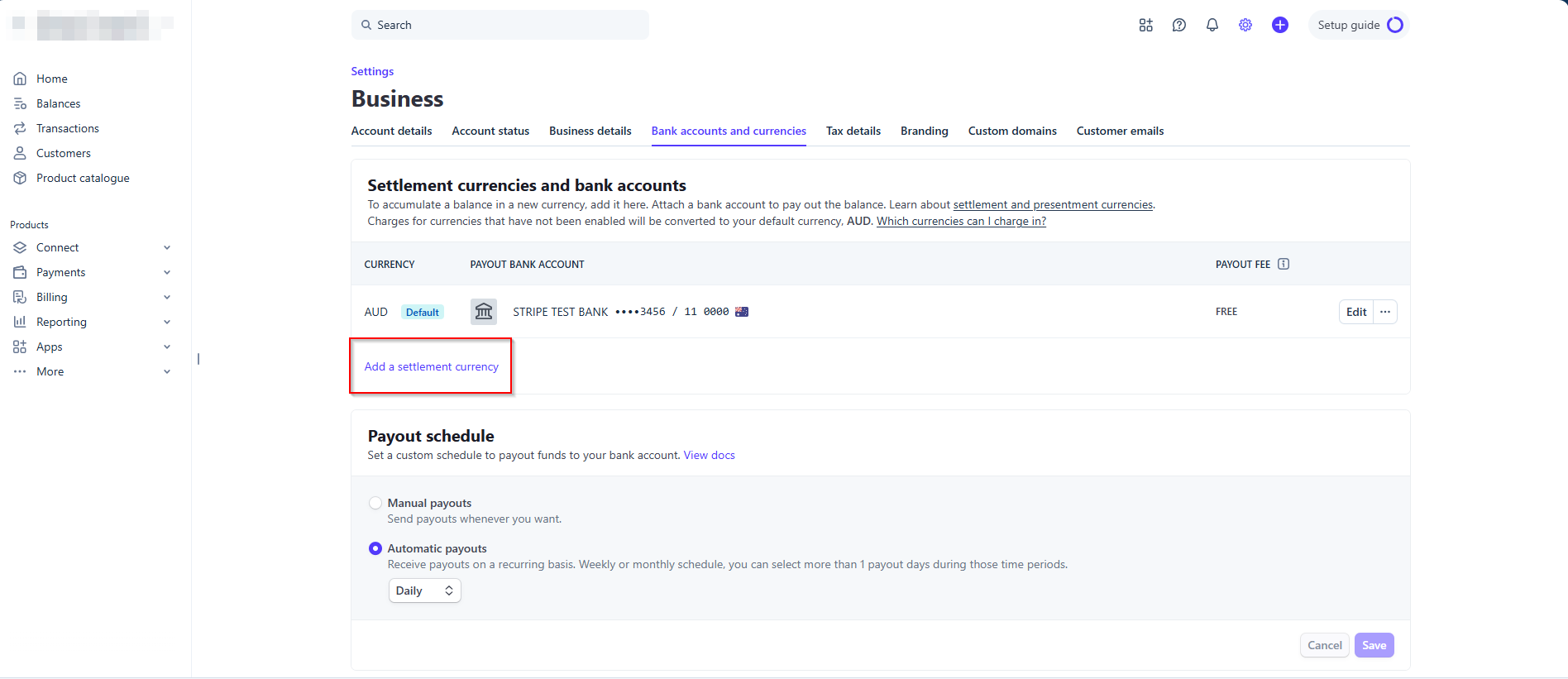
- Navigate to Settings > Bank Accounts and Currencies
- Click Add a settlement currency
Understand your Payout Schedule
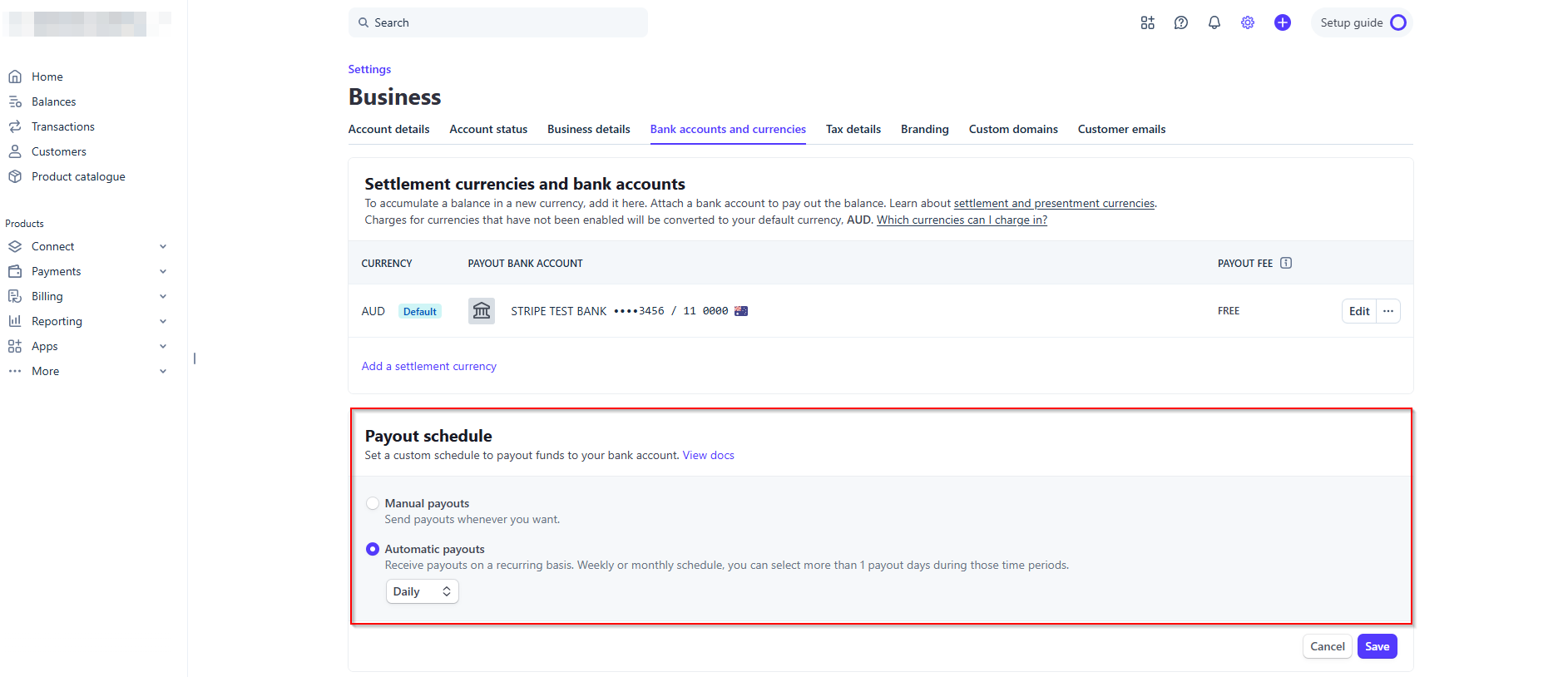
On the same page, just below the bank settings, you have access to set your payment schedule with the following funds retrieval options:
- Manual Payments
- Automatic Payouts
- Daily
- Weekly - On selected days
- Monthly - On selected days
For more technical details on regional payout timing, please refer to the official Stripe Payout Documentation.
Was this article helpful?
That’s Great!
Thank you for your feedback
Sorry! We couldn't be helpful
Thank you for your feedback
Feedback sent
We appreciate your effort and will try to fix the article